
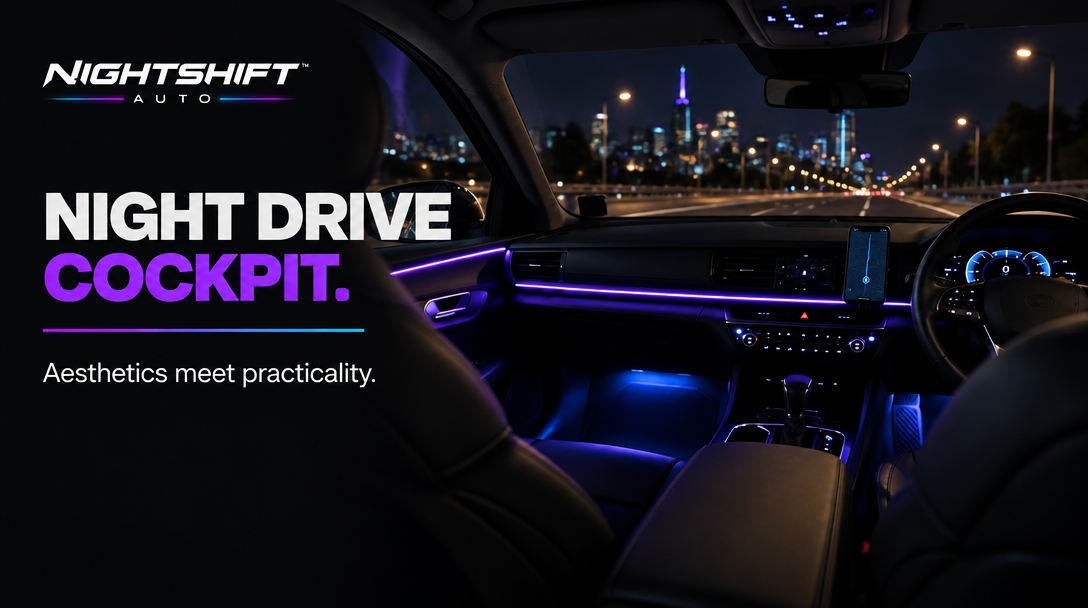
There's a version of the night-drive cockpit that looks like a concept car, and a version that looks like a gaming PC fell into a Camry. The difference is never the budget. It's restraint: fewer light sources, deliberate placement, and tech that earns its position on the dash.
Here's how to build the look without losing the practicality of a car you actually drive.
Start with one lighting system, not three
The most common mistake is mixing kits — one brand in the footwells, another on the dash, a third in the doors — and ending up with three apps, three remotes and three slightly different shades of purple.
NIGHTSHIFT™ AMBIENT PRO is the single-system answer: a multi-piece RGB kit designed to light the dash, doors and footwells from one app, with colour, brightness and music sync in one place. It powers from a 12V socket or USB, so the install stays reversible with no cut factory wires. The honest cost is effort: 2–3 hours at difficulty 3.5/5 for a clean full-cabin install. If that sounds like too much Saturday, NIGHTSHIFT™ AMBIENT covers the dash and doors in 30–45 minutes instead.
Placement is the whole game
- Hide the emitter. Tuck strips along trim seams so you see the glow on a surface, never the strip itself.
- Aim down and in. Light pointed at glass reflects in the windscreen; light pointed at a surface becomes ambience.
- Dim it. The setting that looks premium at night is almost always dimmer than the one that looks impressive in the driveway. Set brightness from the driver's seat, at night, on a dark road.
- Pick a palette and stay in it. One or two colours you actually run beats sixty-four you cycle through once.
Then make the tech disappear
A cockpit reads as deliberate when every device has exactly one job and one home.
The phone goes on a mount, not in a cup holder. NIGHTSHIFT™ MAG clips to a vent, holds the phone magnetically against an anti-slip silicone pad and charges wirelessly at up to 25W with a compatible device and a 45W or higher adapter (not included). Its eight RGB lighting modes mean it can sit in the same palette as the cabin instead of fighting it — check the product instructions for the lighting controls. Check your vent shape and clearance first, and attach or adjust the phone only while parked.
If your car predates CarPlay, NIGHTSHIFT™ DRIVE adds it — plus Android Auto, GPS and 4K dual-camera recording — on one 10.2-inch screen that brackets to the dash and plugs in, replacing what would otherwise be a separate GPS, dash cam and phone-as-nav setup.
The rules that keep it practical
- Nothing reflects in the windscreen. Check from the driver's seat at night.
- Nothing blocks your view, the controls or an airbag path.
- Everything is set up while parked. Lighting colours, mounts and screens are not driving-time activities.
- Keep lighting interior, keep it dim, and avoid red or blue visible from outside. Road rules vary by state and territory — customers are responsible for ensuring their vehicle setup complies with applicable laws.
The order of operations
Lighting first, because it defines the palette. Mount second, because it decides where your phone lives. Screen last, because it has to work around both. Do it in that order and each step has one decision instead of three.
The result should feel like the car was designed that way: a cabin that glows instead of shines, and tech that's exactly where your hand expects it. See the live product cards below for current pricing.

